
Last week Anthropic's Thariq Shihipar wrote this amazing piece, where he argues that HTML is a more logical output format for AI.
Markdown has been the standard output format for AI, and while it has some styling and is easy to edit, it also has some limitations. Most importantly, as questions become more complex, the answers become longer. And sifting through hundreds of lines of Markdown is not fun. Getting to the core, navigating through the output, and seeing what really matters to you can be a challenge.
Thariq notes three important benefits of HTML that directly counteract the limitations of Markdown:
- Higher information density
- Visual clarity & ease of reading
- Two-way interaction: HTML can have interactive elements, like buttons, filters, and more.
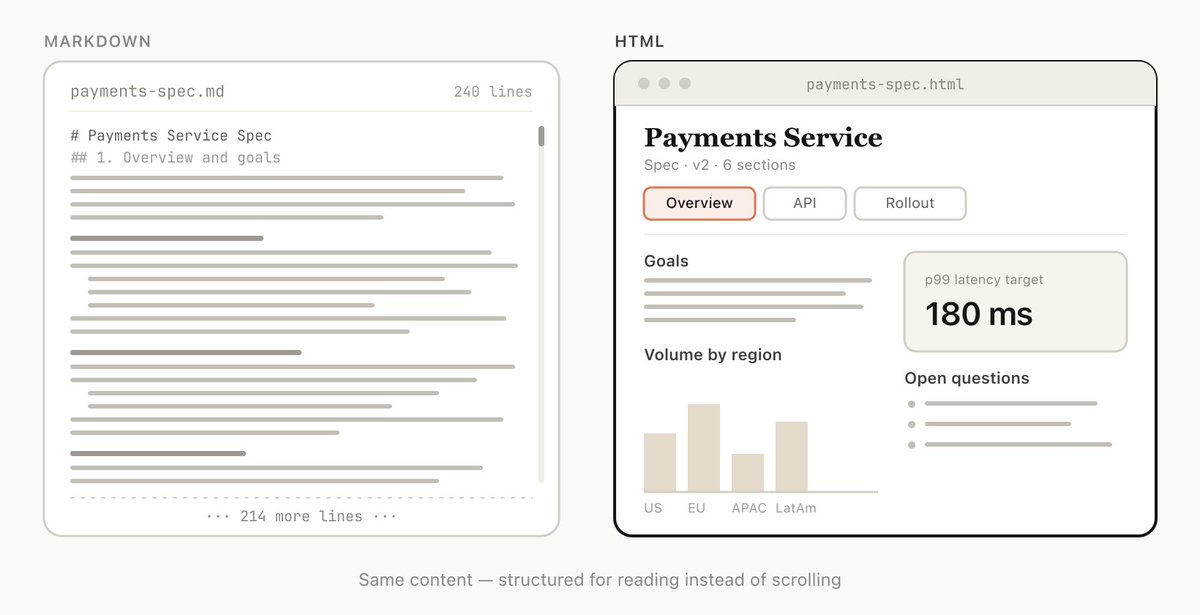
His post is great at explaining the why of using HTML. But I want to dive into the how. How can we use HTML with AI? What can you easily do now? And what is the future of HTML within AI?
 Thariq@trq21216,518
Just Asking
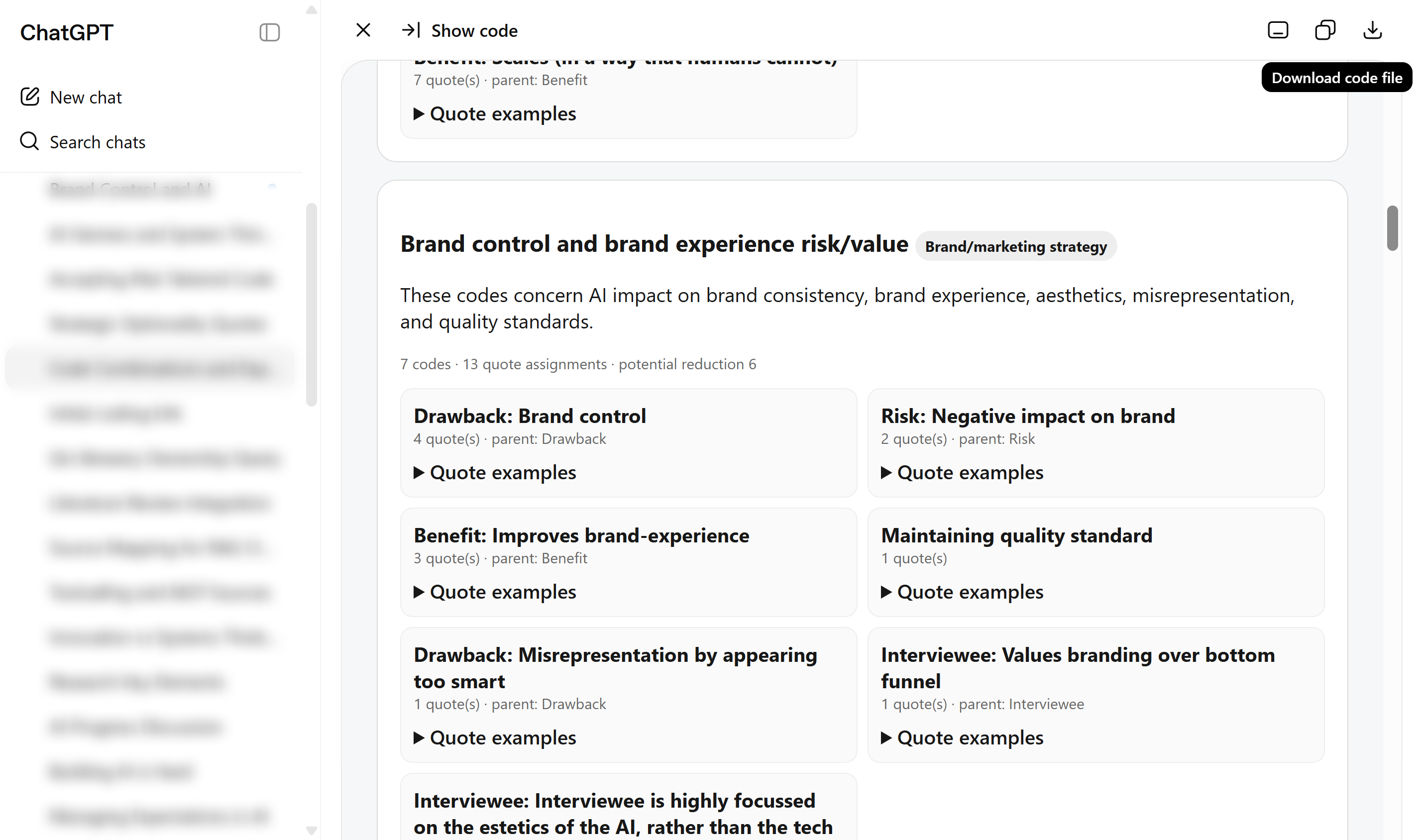
Asking Claude or OpenAI to present complex outputs as HTML files has been great. The clarity of a well-formatted page, combined with the ability to interact and filter, makes a real difference (the AI figures out sensible filtering on its own). Simply ask "show it as an HTML file" and you're there.
Depending on the agent, you get a very different style of output, but it all seems to work.
Additionally, Claude already has Artifacts, which can display rich, interactive HTML content. This is even better than what you can do with ChatGPT, because the HTML can interact with the AI agent, including its connected tools. However, in my experience it requires a bit more effort to set up in a way that suits your needs.
Adding Structure
I have also tried bringing more structure to it all. I increasingly hear that people use tools like Notion or Obsidian as a "memory" backend for their AI (I typically use AI within projects that live on a folder on my laptop. So I have never dabbled in this). But these systems are built around Markdown, and lack the benefits of HTML.
The most logical start was setting up a MkDocs project, which has several additional benefits:
- It creates a nicely structured webpage with menus, multiple pages, a table-of-contents, etc.
- It is still based on Markdown, but now also supports inline HTML.
- It has a rich plugin ecosystem, enabling features like inline diagrams, visuals, callouts, different ways to structure content, etc.
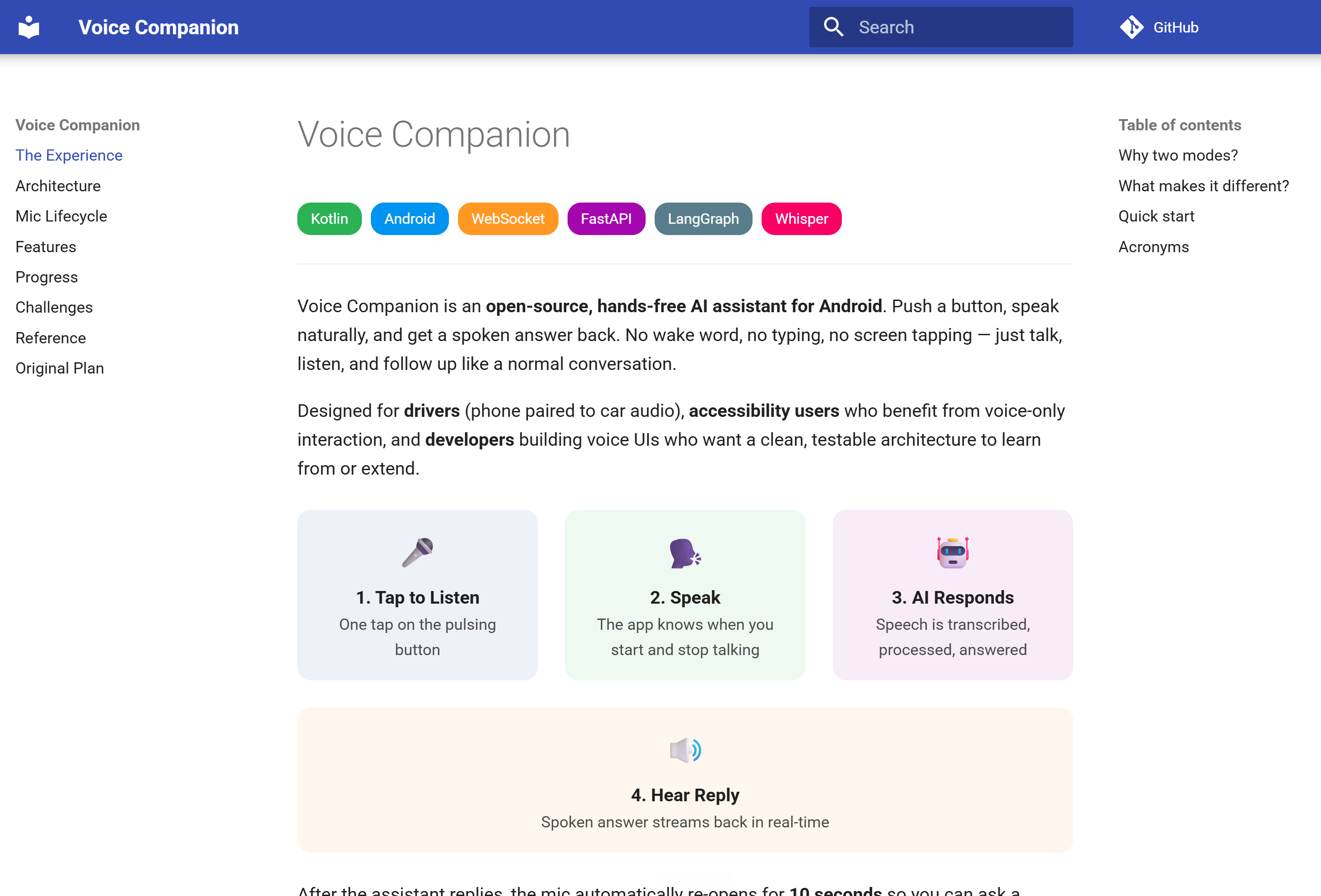
This worked OK out of the box, and with a bit of iteration it became pretty nice. The AI needs some nudging to use the non-standard features of MkDocs, which is where the real power lies. So setting up a skill that adheres to your preferences, and leverages these more advanced features will make your life much easier.
Drawbacks: Complex setup, limited availability
The downside is that it still requires a lot of moving parts and some technical skill:
- You need a place to store the MkDocs (or HTML artifacts), which is currently just on my laptop.
- You need to set up the environment: Python, dependency management, etc.
- And after this you only have it working locally.
- Which also means that it does not work in ChatGPT or Claude chat. Instead, you need Codex, cowork, or an agentic IDE to use it...
Enabling ease of use 👈 My call to action
Instead, I envision a way to do this in the browser. It would be a fairly simple hobby project to address this gap. What would it need?
- A place to host md documents, with inline HTML, behind a login.
- An interface (MCP / Skill) to read/write md files, with inline HTML, from standard AI tools (ChatGPT / Claude)
- Optional: a notification system when updates are live (so you can fire and forget questions to the AI)
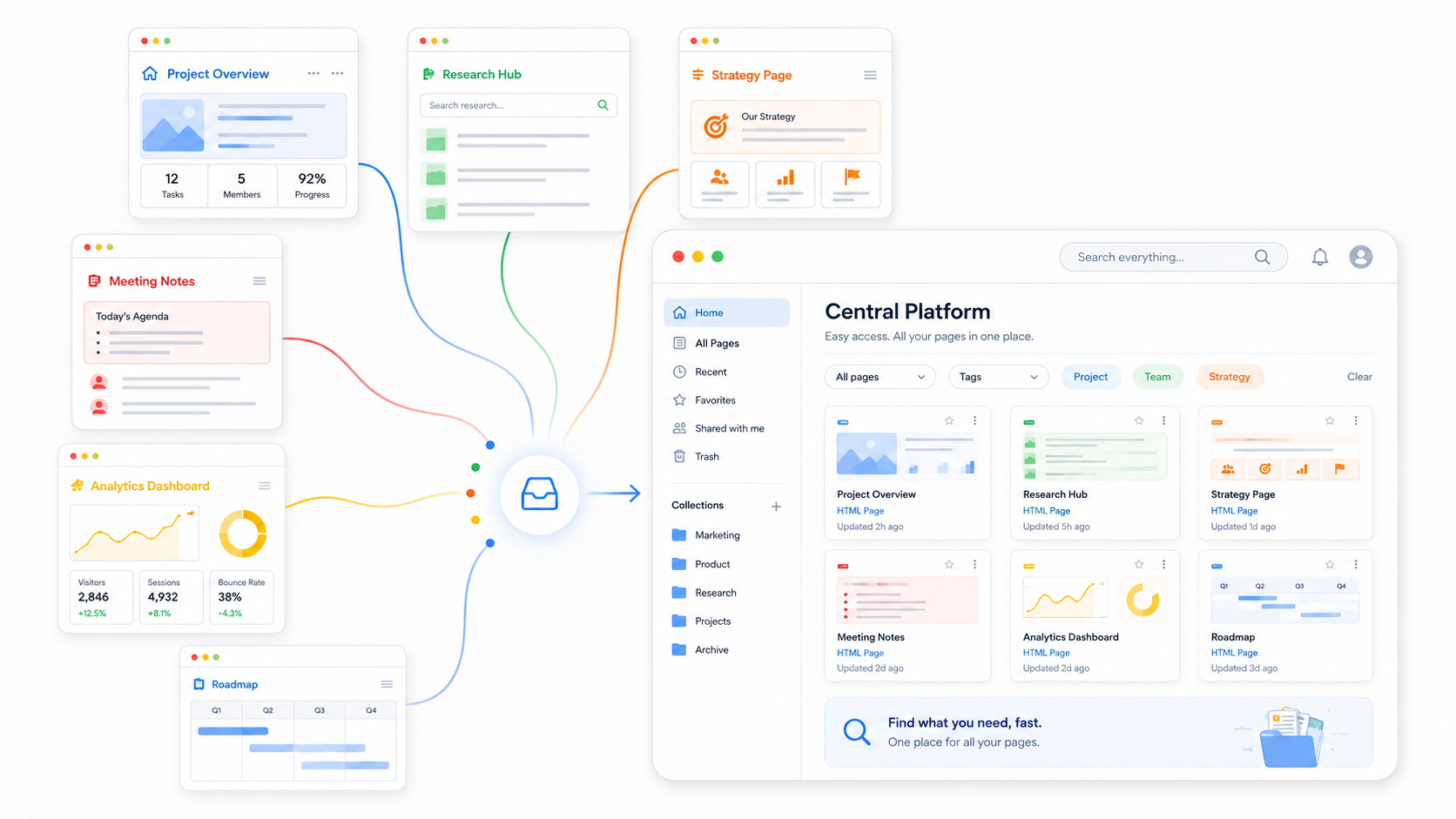
I would love to build this myself, but I have a thesis to submit in 4 weeks...
The next level: Interaction
The final level would be creating interaction between the document and the agentic thread/conversation.
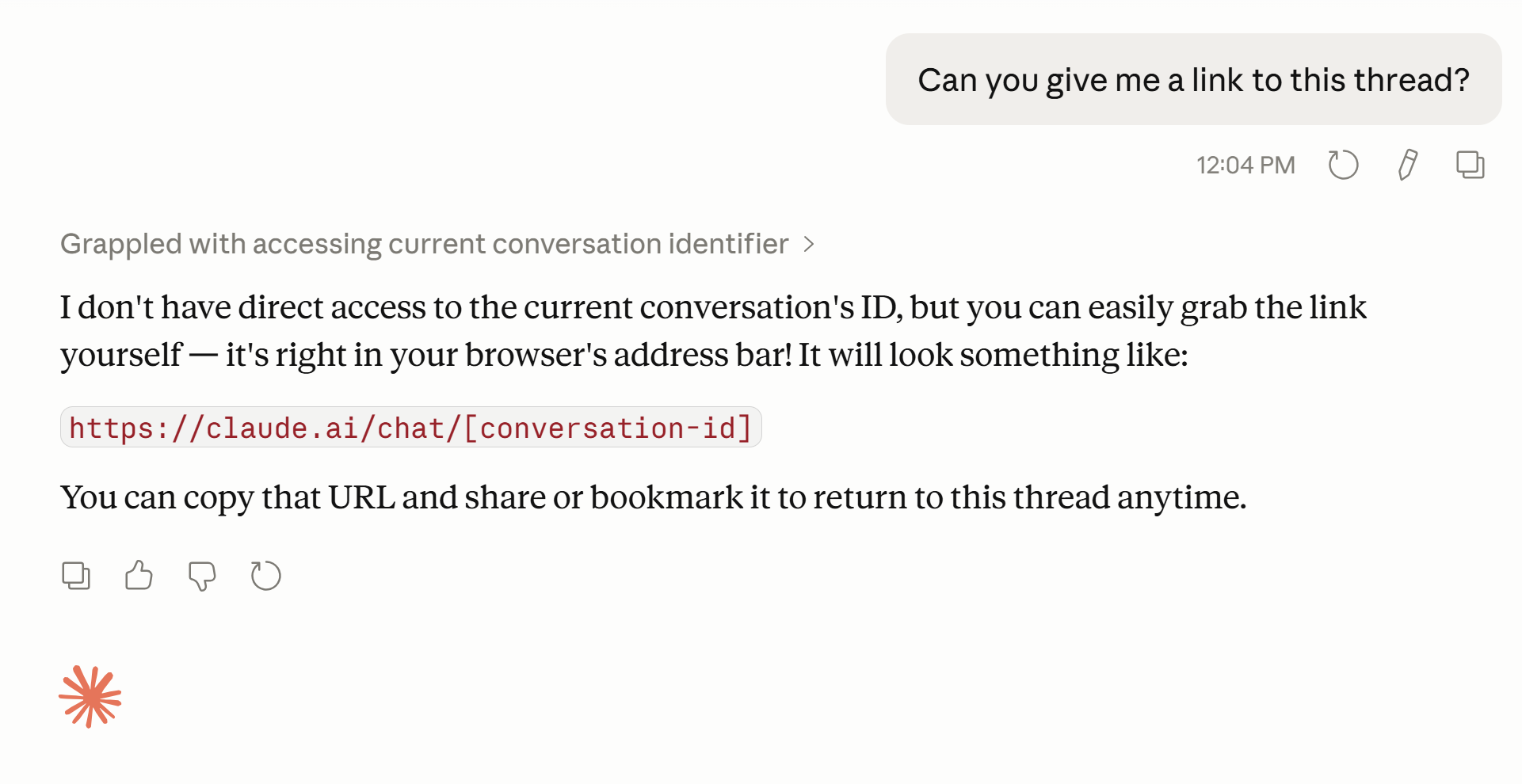
This seems to be a hard problem. As far as I can tell there is no way to trigger an action within ChatGPT through an external system. Backlinking is also hard, because the conversation URL and project URL are not accessible to the agent.
What might ease this problem is leveraging "Agentic UI" (essentially interface components that are generated based on the interface of a tool and the thinking of the agent). Claude has MCP UI and Artifacts that might be usable. ChatGPT has something similar to the MCP UI in its app SDK.
I could see a flow where important choices are presented in these Agentic UI that link to the relevant part of the document and show the relevant excerpt (in a nicely formatted way).
Conclusions
HTML is great for complex questions, but there is still a lot of untapped potential.
- HTML is already a great step forward for complex questions, long overviews, or places where you want to get to the key insights quickly.
- Thinking about a personal setup helps. How do you want to style your documents? What needs to be interactable? Leverage skills to make these personal preferences reusable.
- Ease of use still leaves a lot of untapped potential. Centralizing documents would be a great step forward.
- Interactions need to become seamless. Integrations between HTML documents and agents are a no-brainer: HTML is optimized for streamlining interactions, and agents are built to process them. But with many systems, this is not yet possible.
Acknowledgments
Thanks to Thariq for his great post and for the inspiration. Thanks to Demian for his feedback on this post.